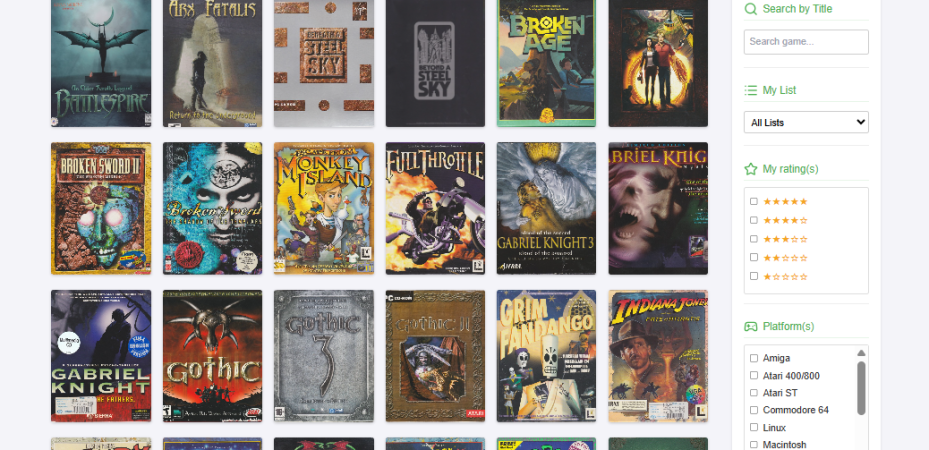
Ever since I got serious about collecting computer games a few years ago, I’ve used an app to keep track of things. I use the excellent CLZ Games app which gives you a quick and clear overview of all the games in your collection, which games you still want and which games you bought and/or backed and have to be patient about. It allows all sorts of sorting and filtering options, and has the option to add your own details for almost everything, even cover art.
No app is perfect
Of course, no app is perfect and I frequently encounter games that aren’t in the database. CLZ has a community and you can ask them to add things, but I must admit that I haven’t done that often. When I’ve already added a game manually I usually “forget” to submit that particular game.
You can also select which region a game is from, which often determines the cover art of a game. But in CLZ the different cover art is not always present. That’s most often the case with older games from the 80s and 90s. The features of these kind of apps work in my experience best for console games and less so for big box games collections.
Build my own web app
Ever since before I started to use the app, I wanted to build my own web-based tool. I tried a few things, but the result was never to my liking. The logistics stuff I could handle; I could build scripts with forms and databases to build a web based application, but the layout often proved difficult. Messing around with stylesheets always started out fun, but ultimately ended in frustration.
As I’m familiar with WordPress, I also tried souping that up for the purpose with custom post types and taxonomies and so forth. But that also proved difficult to get exactly to my liking. Plus the interface for adding games was cumbersome without resorting to specific plugins or building your own.
Enter AI
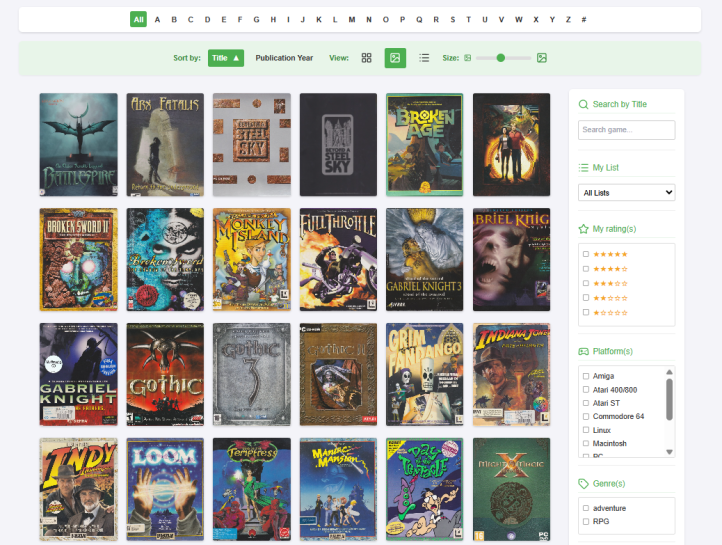
Now, years later, enter AI. After trying to force a few Kickstarter games into CLZ, I realized I could simply ask AI to build a web-based application for me. And sure enough, after only a couple of hours, I had a result I could live with. So I decided to pursue this idea further. It took of course considerable more time to flesh out the first iteration of this setup, but I’m pleased to now have something I would like to develop further.
I try to keep my requirements as low as possible while keeping my options open for future developments. That meant that I added a whole lot of fields that I’m probably not going to use. The main requirements were that I could filter between platforms, series, developers, year of publication game edition and collection status. And that I could view the box art. I choose to focus on a front and back cover, but also a side cover. That last one would provide me with the opportunity to display a graphical list instead of a boring textual one. And maybe make a digital representation of my real life shelves.
I didn’t want to explore the option of putting everything in 3D, like the excellent Big Box Collection. Maybe some other time. Although that will probably involve too much work and if I want to see games that way I can always spend time there.
Hosting
There was the issue of hosting it though. My current WordPress is hosted on wordpress.com, which is primarily focussed on businesses and I’m not prepared to upgrade to an expensive plan to allow more flexibility. Almost all plugins require such an upgrade and that was already annoying me for a time now. You don’t get any webspace to do your own php thing there also, which was a requirement for my app.
Prior experiences with a particular hosting provider let me to investigate their plans and I determined that I could get away with their cheapest one. That provided me with two databases, a SSL certificate and enough storage for now. I need at least two databases, one for my WordPress blog and one for my web application. I could of course put together a couple of scripts for my blog and put that in the same database, but that would require transferring away from WordPress which I’m not prepared to do right now.
The integration with wordpress and transferring of files
The last thing I needed to determine was how to get the one SSH certificate working for both WordPress as well as my web app. That required some shuffling of files and dependencies but seemed doable.
To get this thing going, I started to transfer the blogposts and media files from wordpress.com to my domain. The safest way to do this is in batches. Probably because of server time-outs, I still need to refresh the process a couple of times before it all gets across, but it works, sort of. Not all the featured images come across alright, so I still need to fix a number of them manually. This process is ongoing and once complete I can transfer my domain name to my new host.
Adding the games
And then there’s the biggest undertaking left: Entering all the games into the app. I can import the text fields in batches, but I still need to add the cover art manually. That’s not a big problem, because that can run parallel to the scanning process. It helps that I can’t get enough of handling the games anyway, so that process is still fun at the moment. Maybe that will chance. Probably once I’ll start to add console games, because those are not much fun. Maybe I’ll just rip them from existing online sources.
At the moment of writing this I’ve just finished scanning in all the games from the top row above my desks. The next step will be the row below that. And after that I’ll go through my full height bookcases.
The future
This is only the first version of the app and I’m already thinking about other ways of displaying the collection. Maybe I’ll try to recreate my physical shelves with shelves for specific game series, developers and genres. Maybe I’ll go for a more full-screen experience. Who knows. This option leaves me with lots of flexibility.
In the future I would like to add other collections as well, like books, movies and game magazines.
 Gameroom Ramblings